The SCANOSS Code Scan Action integrates directly into your GitHub Actions workflows to provide automated security scanning, license compliance checking, and SBOM generation. It helps you identify vulnerabilities, enforce policies and maintain compliance throughout your development process.

Prerequisites

Before you begin, make sure you have:
  • An existing GitHub repository
  • A valid SCANOSS API key

Getting Started

Configure GitHub Secrets

Navigate to your GitHub repository and add the following secrets: Settings → Secrets and variables → Actions → New repository secret
Variable NameValue
SCANOSS_API_KEYxyz789…

Create Workflow File

Create .github/workflows/scanoss.yml in your repository:
name: SCANOSS Code Scan

on:
  push:
    branches:
      - "main"
  pull_request:
    branches:
      - "*"

permissions:
  contents: write
  pull-requests: write
  checks: write
  actions: read

jobs:
  scanoss-analysis:
    name: SCANOSS Analysis
    runs-on: ubuntu-latest

    steps:
      - name: Checkout code
        uses: actions/checkout@v4

      - name: Run SCANOSS scan
        id: scanoss-code-scan-step
        uses: scanoss/code-scan-action@v1
        with:
          policies: undeclared
          api.key: ${{ secrets.SCANOSS_API_KEY }}

Commit and Push

git add .github/workflows/scanoss.yml
git commit -m "Add SCANOSS snippet detection"
git push

Accessing SBOM Artifacts

After your workflow completes, the SBOM is available as a downloadable artifact:
  1. Navigate to Actions in your repository
  2. Select the latest workflow run
  3. Scroll to the Artifacts section at the bottom
  4. Download the complete SBOM in your desired format
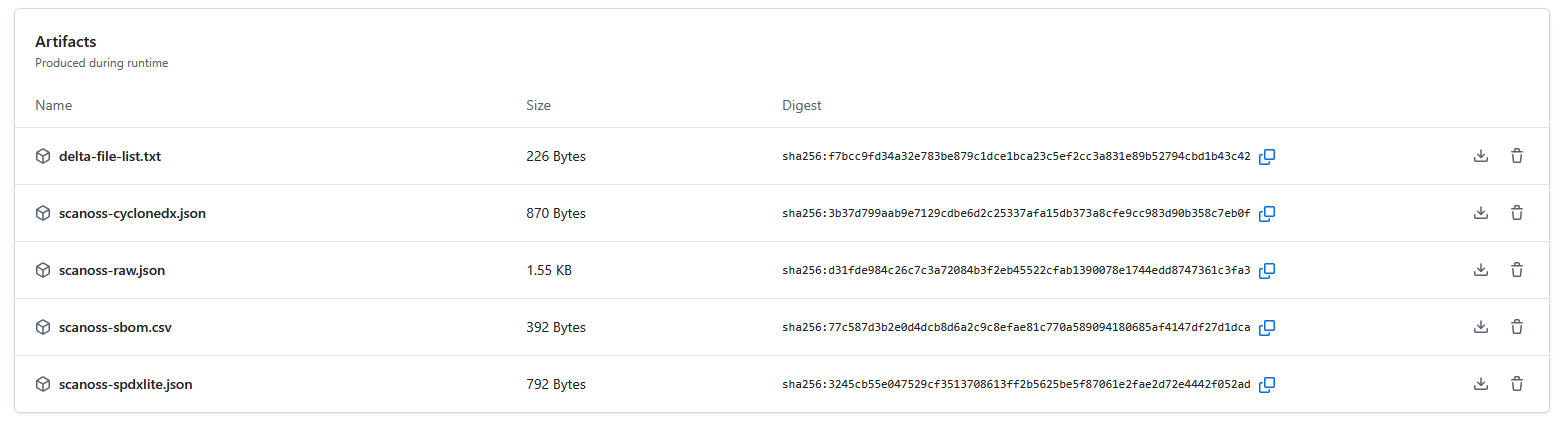
artifacts-gha